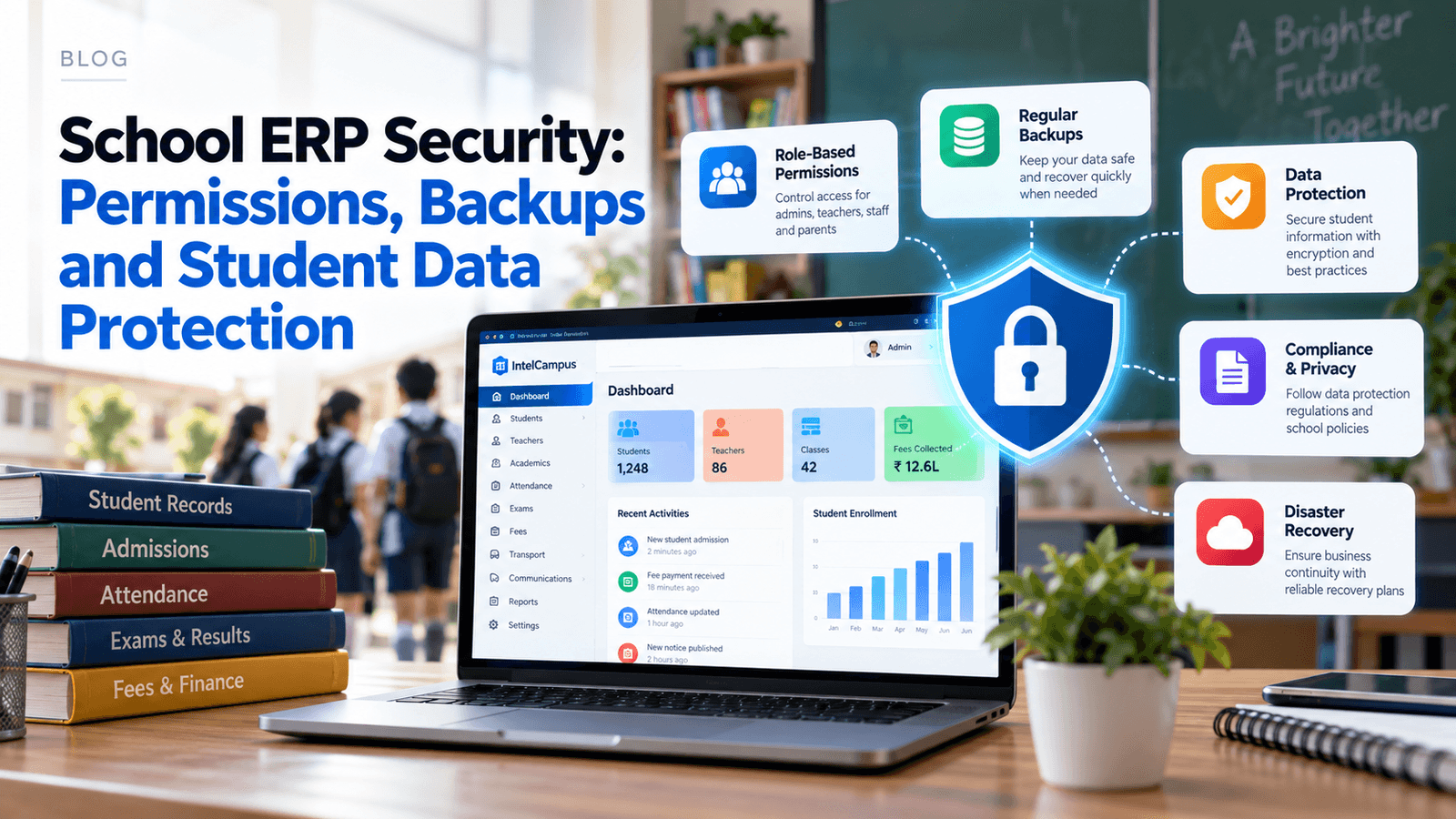
School ERP Solution for Indian Schools: Complete 2026 Guide
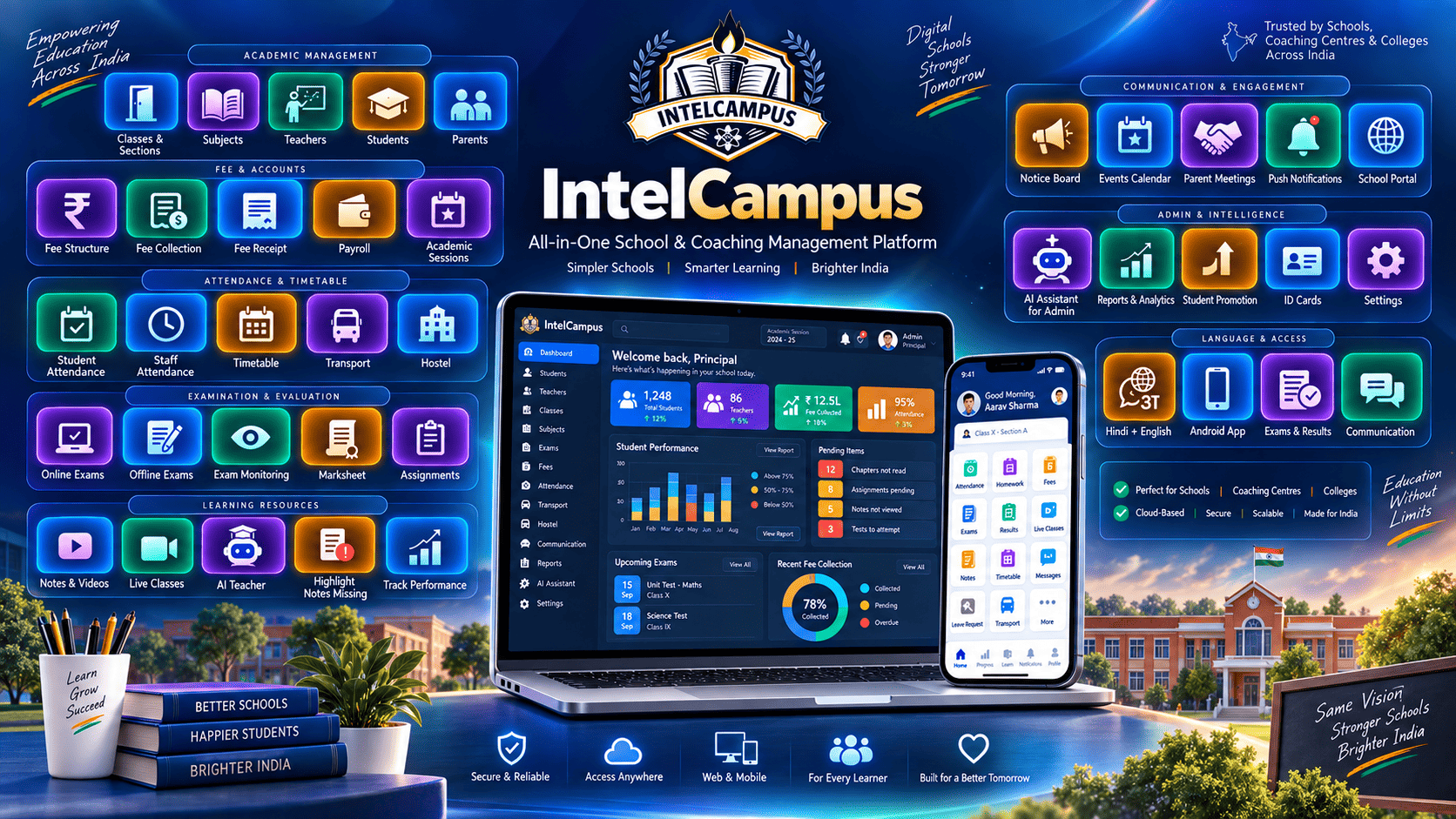
A comprehensive buyer's guide for Indian school principals, directors, and administrators transitioning from registers and spreadsheets to unified digital management. Discover how modern school ERP software streamlines daily roll calls, fee collection, offline exam seating plans, and parent communication without heavy IT infrastructure or mandatory app downloads.
Many Indian school administrators begin their day navigating a fragmented administrative maze. The front office updates a spreadsheet for pending fees, teachers spend the first fifteen minutes of the morning marking attendance in physical registers, the academic coordinator manages exam schedules on a separate desktop application, and parent communication is scattered across multiple unorganized WhatsApp groups.
This disconnected approach leads to massive duplicate data entry, where the same student’s information is manually typed into three different systems. Administrative workloads expand unnecessarily, increasing the risk of human errors in fee ledgers and report cards. Tracking student performance across different terms becomes a logistical challenge, fee reporting is constantly delayed, and parents are left waiting until the end-of-term Parent-Teacher Meeting to understand their child's academic standing. Operating with too many disconnected systems drains the time and resources of educators who should be focusing on academic growth.
A School ERP solution for Indian schools centralizes these fragmented operations. Instead of running parallel systems, a centralized digital platform brings all administrative, financial, and academic data under one secure roof.
What is a School ERP Solution?
A School ERP (Enterprise Resource Planning) system is a unified software platform designed to manage the daily operations of an educational institution.
Unlike traditional manual management that relies on paper registers and filing cabinets, or a disconnected setup where schools buy separate software for accounting and exams, an integrated School ERP connects every department. A single system handles Student Management, Teacher Management, daily Attendance, Academics, Fees, Examinations, Results, Report Cards, Assignments, study Notes, Parent Communication, Transport, Timetable scheduling, Events, Live Classes, and staff Payroll. When a student pays a fee, the accountant's ledger updates, the parent portal reflects the receipt, and the principal’s dashboard registers the revenue instantly.
Why Indian Schools Need School ERP Software
Managing an educational institution in India requires navigating unique operational hurdles. A dedicated school management system addresses these real-world challenges directly:
-
Manual Records: Schools generate massive amounts of paperwork, from admission forms to daily registers and spreadsheets. Digitization secures this data and makes it instantly searchable.
-
Attendance Management: Teachers lose valuable instructional time taking daily roll calls. Schools need systems that log attendance quickly and generate automated monthly reports while sending immediate absentee notifications to parents.
-
Fee Management: Tracking fee collection, issuing manual receipts, managing cash/cheque/UPI reconciliations, and reminding parents about pending fees is a heavy accounting burden that requires automation.
-
Examination Management: Planning exam schedules, mapping seating arrangements, printing question papers, entering marks, and calculating final results are the most time-consuming academic tasks of the year.
-
Parent Communication: Parents increasingly expect quick digital access to their child's daily attendance, fee receipts, exam results, and school updates without having to call the front desk.
-
Teacher Workload: Teachers are often burdened with repetitive administrative work. Automation allows them to spend more time preparing lessons and teaching.
-
Multiple Classes and Sections: Indian schools require structured management of complex academic hierarchies, including varying classes, sections, subjects, and assigned teachers.
-
Digital Learning: The integration of digital notes, online assignments, mobile quizzes, and live virtual classes has become an essential requirement for modern academic delivery.
Key Features to Look For in School ERP Software
A robust school administration software must include specific modules designed to handle the entire lifecycle of school operations.
-
Student & Teacher Management: Centralized databases to track enrollment profiles, academic histories, teacher schedules, and staff payroll from a single dashboard.
-
Class, Section, Subject & Chapter Management: Tools to structure the academic year properly, assigning specific teachers to specific subjects and managing syllabus progression chapter by chapter.
-
Attendance Management: Digital registers for teachers to mark attendance in seconds, feeding data directly to administration and triggering instant alerts to parents.
-
Notes & Study Material: A digital repository or E-Library where teachers can upload chapter-wise study materials, PDFs, and reference links for students to access after school.
-
Online Exams & Live Exam Monitoring: Engines to conduct objective MCQs or subjective tests digitally, complete with live proctoring features like tab-switch detection to prevent cheating.
-
Offline Exam Management: Automation for physical exams, including date sheet generation, eligibility screening (checking fee/attendance thresholds), and randomized room seating plans.
-
Results, Marksheets & Report Cards: Automated calculation of grades, percentages, and ranks, alongside the generation of digitally signed admit cards and printable report cards.
-
Assignments & Quizzes: Workflows for teachers to publish daily homework and for students to submit digital files, with built-in online grading tools.
-
Live Classes: Integration with platforms like Zoom, Google Meet, or Microsoft Teams, allowing students to join virtual classrooms securely.
-
Events, Calendar & Timetable Management: Automated scheduling to generate conflict-free class timetables, manage substitute teachers, and publish school event calendars.
-
Fee & Transport Management: Comprehensive financial tracking for tuition and transport fees, including auto-generated invoices and route tracking for school buses.
-
Parent & Student Portals: Dedicated access points for families to view academic progress, submit assignments, and pay fees digitally.
-
AI Chatbot / Academic Assistance: Integrated learning tools to help students resolve doubts, summarize notes, and practice quizzes after school hours.
How IntelCampus Solves These Problems
IntelCampus operates as a centralized school and coaching management ERP engineered to resolve high IT costs and mobile storage constraints for educational institutions. By centralizing daily operations, it offers practical workflows across its modules.
Instead of requiring expensive local servers, IntelCampus operates entirely through standard mobile browsers on basic smartphones. For Student and Teacher Management, the platform centralizes all enrollment and staff data, while Accountant Management modules handle fee collections, generating instant WhatsApp fee receipts for parents.
Teachers can mark Attendance quickly from their devices, and the system immediately updates the Parent Portal with daily logs and monthly summaries. For academics, teachers use the Subject and Chapter Management tools to upload Notes and Video Lectures directly to an E-Library. Students access these resources, complete Assignments, and participate in Live Classes from their Student Portal.
The examination workflow handles both physical and digital testing. For offline tests, the Offline Exam Management module automatically generates conflict-free timetables, 1-click randomized seating plans, and digitally signed Admit Cards. Once exams conclude, teachers enter raw scores, and the system instantly calculates the Results to issue digital Marksheets and Report Cards. For digital assessments, the Online Exams module supports subjective tests, Quizzes, and Live Exam Monitoring with tab-switch detection.
To support learning after hours, IntelCampus features a built-in AI Chatbot and AI Teacher. This tool helps students clarify homework concepts and generates practice quizzes based on uploaded study materials. The platform also unifies operational logistics, offering Timetable generation, Events & Calendar tracking, Transport Management, and staff Payroll processing all from one dashboard.
IntelCampus for Different Types of Indian Schools
CBSE Schools
Centralized student tracking, accurate attendance logging, and structured examination workflows align well with rigorous academic frameworks. A digital school management system helps manage detailed term-wise mark entries, generating comprehensive report cards and managing fee schedules accurately across large student bodies.
ICSE Schools
With a heavy emphasis on detailed syllabus coverage and internal assessments, ERP platforms help manage academics by categorizing complex subject structures, tracking frequent internal exams, and ensuring parents have continuous visibility into their child's performance through dedicated portals.
State Board Schools
Regional schools require highly flexible academic structures. School ERP software accommodates varying class structures, localized subject offerings, and distinct assessment rules, allowing state board schools to digitize operations without forcing their workflows into rigid, incompatible templates.
Small & Mid-Sized Private Schools
For smaller institutions, the primary goals are affordability and simplicity. Cloud-based platforms reduce the need for physical paperwork and allow a lean administrative team to manage admissions, daily attendance, fee receipts, and parent communication from one easily accessible platform.
Large Schools / School Groups
Institutions managing high student volumes require centralized visibility and strict role-based access. ERP systems provide directors with high-level dashboards tracking daily revenue, total absentee rates, and staff payroll, ensuring structured governance across the entire campus.
School ERP for Principals and School Management
For a principal or school director, software is only as good as the visibility it provides. Management teams need immediate answers to daily operational questions. A centralized ERP dashboard displays real-time student strength, daily campus attendance rates, and overall academic performance metrics.
Principals can instantly check daily fee collection status, track examination grading progress, and monitor teacher activity across digital assignments. By centralizing data regarding school events and parent engagement, school leadership can make faster, evidence-based decisions rather than waiting days for manual reports to be compiled by the front office.
School ERP for Teachers
A modern teacher management system is designed to drastically reduce repetitive administrative work. By digitizing the daily routine, teachers can take attendance in seconds from their phones rather than calling out names from a physical register.
The platform streamlines the distribution of digital notes and assignments, while online quizzes can be auto-graded to save hours of manual correction. Managing offline marks, publishing results, conducting live classes, and tracking individual student performance all happen within a unified interface, allowing teachers to focus their energy back on actual classroom instruction.
School ERP for Parents
Consistent parent access builds trust and engagement. A dedicated parent portal for schools ensures that families do not have to rely on intermittent diaries or wait for term-end meetings to understand their child's progress.
Through the portal, parents can monitor daily attendance, review exam results, track pending fees, and stay updated on upcoming school events and exam schedules. They gain direct visibility into academic progress, missing assignments, and digital learning resources, ensuring they can support their child's education actively without repeatedly calling the school office for basic information.
School ERP for Students
A dedicated student portal organizes the modern digital learning experience. Students can log in to access chapter-wise notes, reference videos, and pending assignments in one structured hub.
The portal serves as their digital classroom where they can attempt online quizzes, submit subjective exams, view published results, and download their report cards. By centralizing links for live classes and study materials, students avoid the confusion of searching through unorganized messaging apps to find their daily coursework.
School ERP vs Excel and Manual Records
| Feature | Manual / Excel Records | Integrated School ERP |
| Student Records | Scattered across physical files and local hard drives. | Centralized, searchable digital profiles for every student. |
| Attendance | Paper registers; takes 10-15 minutes daily. | 1-Tap digital roll call; automated absentee alerts to parents. |
| Fees | Manual receipts, Excel tracking, high risk of errors. | Automated invoicing, digital receipts, and real-time ledger updates. |
| Exams | Manual date sheets, manual seating mapping. | Auto-generated timetables and randomized 1-click seating plans. |
| Results | Manual calculation of totals and percentages. | Instant automated calculation of grades and ranks. |
| Reports | Hand-written or individually typed report cards. | 1-Click generation of digital, printable marksheets. |
| Parent Communication | Physical diaries, SMS blasts, or scattered WhatsApp. | Dedicated parent portals with real-time push notifications. |
| Data Access | Requires being physically present at the school office. | Secure cloud access from any device, anywhere. |
| Data Duplication | High; same data entered by teachers and accountants. | Zero; data entered once updates across all departments automatically. |
| Scalability | Becomes chaotic as student strength increases. | Easily handles hundreds or thousands of students without friction. |
How to Choose the Best School ERP Software in India
Evaluating school management software requires moving past marketing brochures and testing how the platform handles daily school realities. School management should evaluate:
-
Features: Does it cover all necessary modules (Attendance, Fees, Exams)?
-
Ease of use: Can non-technical teachers navigate the interface easily?
-
Mobile experience: Does it run smoothly on standard smartphones?
-
Dedicated Portals: Are the parent, teacher, and student portals fully functional?
-
Data security: Is student information encrypted and backed up?
-
Role-based access: Can the accountant see fees but not alter exam grades?
-
Reporting: Are financial and academic reports easy to generate?
-
Exam management: Does it handle both physical seating plans and digital quizzes?
-
Fee management: Can it track part-payments and generate instant receipts?
-
Support & Training: Is regional support available for staff onboarding?
-
Customization: Can report cards be branded with the school logo?
Questions to ask before buying a School ERP:
-
Does this software require us to purchase local servers or specialized hardware?
-
How will parents on budget smartphones access the portal?
-
Can the system automatically generate conflict-free exam date sheets and seating plans?
-
How does the software handle part-payments and late fee calculations?
-
Does the platform support multiple languages for regional parent communication?
-
Is the teacher grading interface simple enough to use on a mobile screen?
-
How long does the data migration and initial setup process take?
-
Are data backups automated, and who owns our school data?
-
Can we restrict access so staff only see what is relevant to their role?
-
Does the pricing scale reasonably as our student strength grows?
Common Mistakes Schools Make When Buying ERP Software
Choosing the wrong software can disrupt school operations for an entire academic year. Schools frequently make the mistake of choosing a platform solely based on the lowest price, sacrificing reliability and support. Others buy too many unnecessary modules that their staff will never use, complicating the interface.
Ignoring mobile usability is a critical error; if teachers cannot mark attendance on their phones, the system will fail. Failing to test the actual teacher workflow or the parent experience before purchasing leads to low adoption rates. Many schools ignore the data migration process, vastly underestimating the effort required to move from Excel to a new database. Finally, choosing software without involving the academic coordinators or teachers in the evaluation process often results in purchasing a system that looks good to management but does not match the school's actual daily workflow.
Why IntelCampus Can Be a Practical Option
For educational institutions looking to modernize without heavy infrastructure investments, IntelCampus provides a practical, centralized school management platform. It consolidates operations across 25+ distinct modules, connecting student and teacher management securely.
The platform handles daily necessities like digital attendance, comprehensive exams and results processing, and structured fees tracking. Through the dedicated parent portal and student portal, families gain access to digital learning resources, live classes, assignments, and transport tracking. The administration benefits from automated timetable generation, events management, and staff payroll features. Additionally, the integrated AI chatbot provides continuous academic support for students.
Crucially, IntelCampus runs entirely on standard mobile browsers, ensuring mobile-friendly access for parents and staff without requiring heavy application downloads. Schools can review the complete platform capabilities by exploring IntelCampus and viewing the full module breakdown at the IntelCampus Features page.
Implementation Guide
Moving an educational institution from paper registers and Excel sheets to a digital school ERP requires a structured approach.
-
Step 1 — Identify current problems: Audit the specific bottlenecks in your school, such as delayed fee collections or chaotic exam grading.
-
Step 2 — Select required modules: Do not launch everything at once. Identify the core modules needed for the current term.
-
Step 3 — Prepare student and staff data: Clean up existing Excel sheets to ensure names, contact numbers, and past balances are accurate.
-
Step 4 — Configure classes and subjects: Set up the academic hierarchy, mapping the correct subjects to specific classes and sections.
-
Step 5 — Set up fees and examinations: Input your fee structures, due dates, and grading criteria into the system settings.
-
Step 6 — Create teacher and staff accounts: Assign specific roles and access permissions to your accountants, teachers, and coordinators.
-
Step 7 — Train teachers and administrators: Conduct hands-on training sessions focusing on daily tasks like roll call and mark entry.
-
Step 8 — Onboard parents and students: Send clear communication with login details and simple instructions on how to access their portals.
-
Step 9 — Start with core modules: Go live with daily attendance, fee collection, and basic parent communication first.
-
Step 10 — Gradually move remaining processes online: Once the staff is comfortable, introduce advanced features like digital exams, live classes, and transport tracking.
FAQ Section
What is School ERP software?
School ERP software is a centralized digital platform that manages all administrative, academic, and financial operations of an educational institution in one place.
What is the difference between School ERP and School Management Software?
While often used interchangeably, School Management Software generally refers to basic administrative tools, whereas a School ERP integrates all departments (academics, payroll, transport, fees) into a single connected database.
Why should Indian schools use ERP software?
Indian schools manage high student volumes, complex fee structures, and rigorous exam schedules. ERP software eliminates duplicate data entry, reduces manual errors, and saves hundreds of administrative hours.
What features should a school ERP have?
A robust system must include student information management, digital attendance, fee tracking, comprehensive exam and marksheet generation, and dedicated parent communication portals.
Is School ERP useful for CBSE schools?
Yes, it helps CBSE schools structure detailed term-wise mark entries, generate compliance-ready report cards, and manage continuous internal assessments efficiently.
Can small schools use School ERP?
Absolutely. Cloud-based ERPs are affordable and scale to fit the needs of small schools, helping them digitize basic attendance and fee collections without needing IT staff.
Can parents access school ERP?
Yes, modern platforms provide dedicated parent portals where families can securely view their child's daily attendance, academic progress, and fee receipts.
Can teachers manage attendance through ERP?
Yes, teachers can take digital roll call directly from their mobile devices in seconds, which instantly updates the administration and parent portals.
Can school ERP manage exams and results?
Yes, comprehensive systems manage offline seating plans, admit cards, online subjective/objective tests, and automatically calculate final marksheets.
Can school ERP manage fees?
Yes, it tracks payments, calculates late dues, handles partial payments, and issues instant digital receipts for cash, cheque, and online transactions.
Can students access notes and assignments?
Yes, students can log into their portals to download chapter notes, view recorded lectures, and submit digital homework assignments directly to their teachers.
How does School ERP reduce paperwork?
By digitizing admissions, attendance registers, physical fee receipts, and manual report cards, ERPs transition all physical record-keeping to secure cloud storage.
How should a school choose ERP software?
Schools should evaluate the software based on ease of use, mobile accessibility for parents, transparency in pricing, data security, and the availability of responsive customer support.
What should schools check before purchasing ERP?
Ensure the platform does not require expensive local servers, test the teacher and parent mobile interface, and confirm that the vendor assists with data migration.
What is IntelCampus? IntelCampus is a cloud-based School and Coaching Management ERP that operates smoothly on mobile browsers, offering modules for attendance, fees, exams, and AI-assisted learning without requiring hardware installations.
Explore IntelCampus to see how a centralized digital platform can support your institution.
View All Features at https://intelcampus.com/features.