School Parent Portal: Features, Benefits & Complete Guide for Schools
A complete 2026 guide to modern student parent portals. Discover how IntelCampus connects parents with real-time updates, multi-child linking, and lightweight PWA access without heavy app downloads.
School Parent Portal: Features, Benefits & Complete Guide for Schools
Bridging the communication gap between educational institutions and families is critical for student success. The traditional model—relying on paper diaries, phone calls, and occasional parent-teacher meetings—often leaves parents unaware of daily academic progress or pending fees until the end of a term.
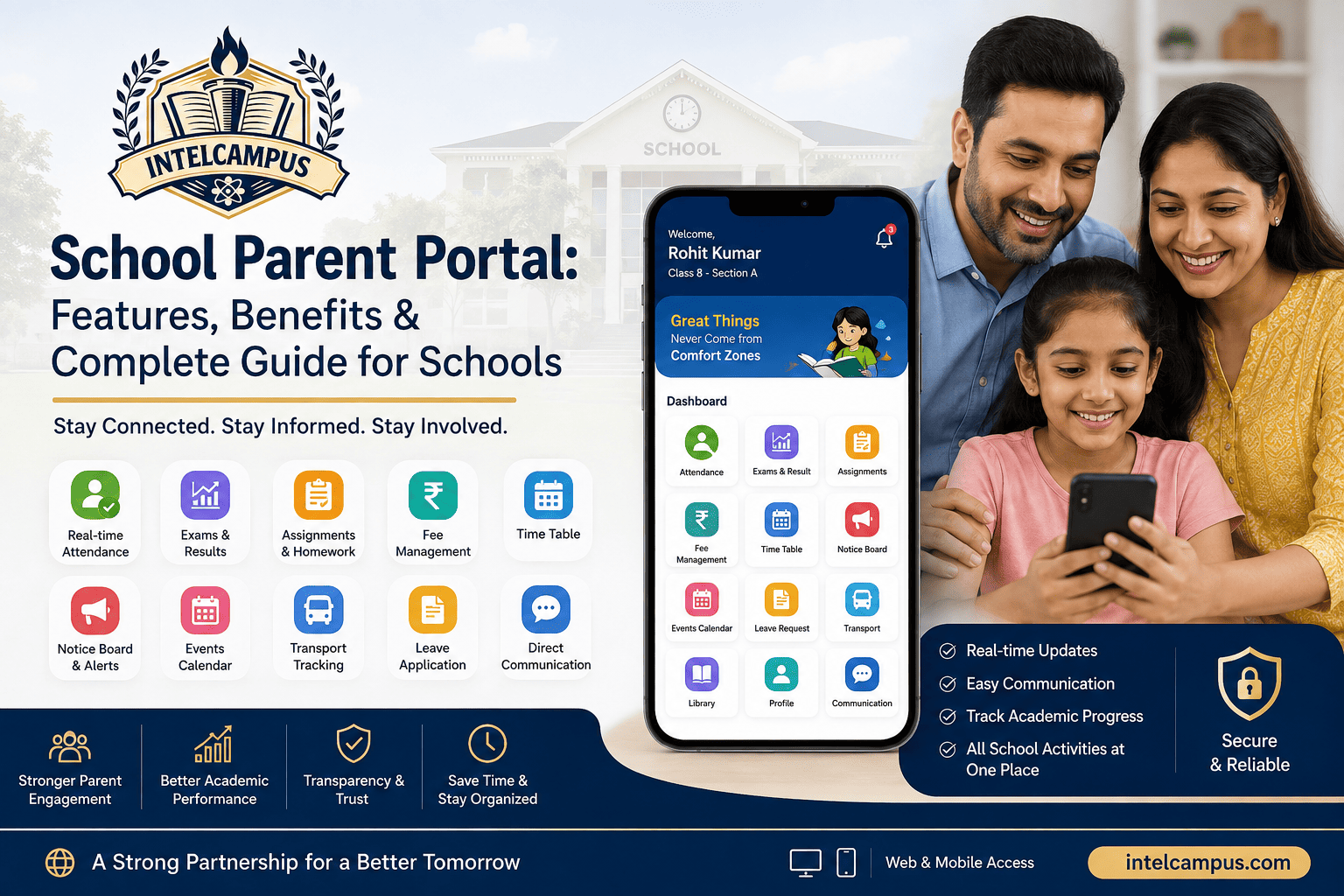
A parent portal for schools is a digital platform that gives parents real-time access to their child's daily attendance, homework, report cards, fee receipts, transport tracking, and calendar updates. Modern school parent portal software like IntelCampus transforms this dynamic by giving parents a secure, 24/7 window into their child's academic and campus life.
Key Features of a Modern Student Parent Portal
When implementing a school communication portal, it must be user-friendly and comprehensive. Here are the core modules accessible on the IntelCampus parent panel:
-
Single Sign-On for Siblings: If a family has two or more children enrolled, the admin maps all siblings under a single parent account. Parents can view personal records and academic performance for all enrolled children from one dashboard.
-
1-Tap Hindi/English Switcher: Instantly toggle the entire interface between Hindi and English for maximum accessibility across regional regions.
-
Attendance Tracking & Alerts: View daily, monthly, and subject-wise attendance logs. The moment a teacher marks a student absent, an automated alert is delivered directly to the parent panel.
-
Digital Homework Hub: Access pending, active, and completed homework. If a submission deadline is missed, an overdue alert highlights the missing work.
-
Exam Results & Marksheets: View class test marks, term grades, and subject-by-subject trends. Parents can download official, school-branded report cards in PDF format instantly upon publishing.
-
Transport & Campus Facilities: Access assigned bus route numbers, designated pickup/drop-off stops, and driver contact numbers for child safety.
-
Financial Management: Review paid history, pending dues, fee breakdowns, and download auto-numbered PDF receipts instantly.
Why Progressive Web Apps (PWAs) Outperform Native Parent Portal Apps
Many schools struggle with low portal usage because forcing parents to download a heavy parent portal app from the Google Play Store or Apple App Store creates friction.
IntelCampus operates using Progressive Web App (PWA) technology, enabling instant multi-child tracking on any smartphone without app downloads. PWAs run inside standard mobile web browsers (Chrome, Safari) without taking up storage, which is vital for budget smartphones in Tier-2 and Tier-3 cities that often suffer from low storage capacity. Parents can simply pin the portal to their home screen to launch it with one tap.
Traditional Communication vs. School ERP Parent Portal
| Operational Parameter | Traditional School Setup | IntelCampus PWA Parent Portal |
| Access Method | Paper diaries, SMS, or PTM visits |
Lightweight PWA Web App (No Play Store download) |
| Multi-Child Access | Separate physical registers or accounts |
Single Parent Account linking all siblings |
| Attendance Updates | Monthly report card entries |
Instant Absent Alerts delivered in seconds |
| Report Card Access | Physical pickup on PTM days |
1-Click PDF Download on publish date |
| Fee Record Keeping | Physical receipts; risk of loss |
Digital PDF Receipts archived permanently |
| Language Support | English-only printed notices |
1-Tap Bilingual Switch (Hindi & English) |
Summary Checklist for School Administrators
When deploying parent portal software for your educational institution, ensure it covers these essentials:
-
Single Login for Sibling Profiles: Avoid issuing multiple sets of credentials to the same family.
-
No Hardware/App Dependencies: Implement web-native PWA platforms that load quickly on basic Android phones.
-
Bilingual Support: Offer regional language toggles (e.g., Hindi + English) so non-English speaking parents stay fully engaged.
-
End-to-End Self-Service: Allow parents to view attendance, download admit cards, review marksheets, and pay fees from one dashboard.
Explore More IntelCampus Features (Internal Linking Guide)
To understand how the Parent Portal integrates with our broader ecosystem, explore our complete operational guides: